
Cómo verificar Proxies mediante el comando curl

When developing or managing networks, it's often necessary to verify the validity and performance of a Proxy Server. curl is a powerful tool that can be used to download and upload data, as well as test Proxy Server connections. This includes HTTP, HTTPS, and Socks5 proxies. The following content will guide you on how to use curl to test different types of Proxy Servers, ensure they are working correctly, and measure their response times.
For instructions on how to install curl, please refer to: How to Install curl on Windows?
Using curl to Test HTTP and HTTPS Proxy Servers
1. Basic Proxy Test:
curl -x http://ProxyIP:Port http://example.comReplace ProxyIP and Port with the actual IP address and port number of your Proxy Server.
2. Testing Proxy with Authentication:
curl -x http://ProxyIP:Port --proxy-user Username:Password http://example.comReplace Username and Password with the credentials required for proxy authentication.
3. Using HTTPS Proxy:
curl -x https://ProxyIP:Port https://example.com4. View Connection Details:
curl -v -x http://ProxyIP:Port http://example.comUsing the -v or --verbose option provides detailed connection information, which is helpful for debugging.
5. View Connection Details with Authentication:
curl -v -x http://ProxyIP:Port --proxy-user Username:Password http://example.comUsing the -v or --verbose option provides detailed connection information, which is helpful for debugging.
6. Test Response Time:
curl -x http://ProxyIP:Port -o /dev/null -s -w "Total: %{time_total}s\
" http://example.com
This command will show the total time taken from initiating the request to receiving all the response data.
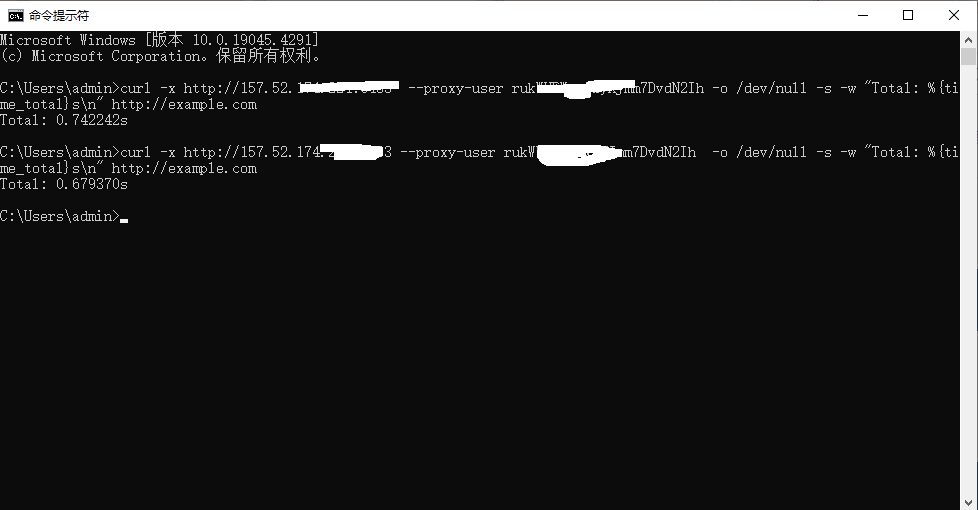
7. Test Response Time with Authentication:
curl -x http://ProxyIP:Port --proxy-user Username:Password -o /dev/null -s -w "Total: %{time_total}s\
" http://example.com
This command will show the total time taken from initiating the request to receiving all the response data.
Using curl to Test Socks5 Proxies
Socks5 proxies support more complex network requests, including UDP transmission and authentication. To connect using curl through a Socks5 proxy, use the following command:
curl -x socks5://ProxyIP:Port http://example.com1. If the Proxy Requires Username and Password:
curl -x socks5://Username:Password@ProxyIP:Port http://example.comThese commands help verify the functionality of the Socks5 proxy and its compatibility with specific services.
2. Connection Details with Authentication for Socks5 Proxy:
curl -v -x socks5://Username:Password@ProxyIP:Port http://example.comThese commands provide detailed connection information for debugging purposes.
3. Response Time with Authentication for Socks5 Proxy:
curl -x socks5://ProxyIP:Port --proxy-user Username:Password -o /dev/null -s -w "Total: %{time_total}s\
" http://example.com
These commands help verify the response time of an authenticated Socks5 proxy.
Conclusion
Using the curl commands described above, you can effectively test the connections of HTTP, HTTPS, and Socks5 proxies, ensuring the correctness of your network configuration and the performance of your Proxy Servers. These tests are crucial for network security, data collection, and other applications that require proxy access to resources. Be sure to continuously monitor proxy performance to quickly identify and resolve any issues that may arise.
Cómo verificar Proxies mediante el comando curl preguntas frecuentes de la reseña

Curl es una herramienta de lín...

Al probar servidores proxy y r...
Al desarrollar o administrar r...